
Seamless Access
Intelligent Identity & Seamless Access
Logging in is as simple as using your campus account. Behind the scenes, BadgerCTF integrates securely with institutional directories to personalize every student's journey.
- Single Sign-On Integration — Connect through your university LDAP or Active Directory.
- Smart Role Detection — The system instantly recognizes student, instructor, or admin roles to tailor access and dashboards.
- Zero-Friction Access — Sessions persist securely in the browser via HTTP-only JWT cookies.
On-Demand Virtual Environments
No setup, no waiting—each lab launches a live, isolated environment in seconds. Students get their own dedicated system that feels indistinguishable from a real machine.
LXC Containers
Clone golden templates on Proxmox VE with per-student isolation and automatic cleanup on timeout.
Docker Labs
Sub-minute launches. AI-generated Dockerfiles or custom images. Supports student and service lab types.
Proxmox VMs
Full virtual machines for complex labs. QEMU guest agent for automatic IP detection and configuration.
ESXi VMs
VMware ESXi for Windows, legacy OS, and desktop environments with WMKS console access.
AI-Powered Lab Generation
Describe the lab you want in plain English. BadgerCTF's Claude AI integration generates everything you need—Dockerfile, setup scripts, lab instructions, and scoring configuration.
Natural Language Input
Describe the vulnerability or scenario you want to teach. Upload reference files or slides for context.
Full Lab Output
AI generates Dockerfile, entrypoint scripts, Markdown documentation, and deployment configuration.
One-Click Deploy
Build the Docker image and deploy it directly from the lab generator. Edit and iterate without leaving the browser.
Browser-Native Terminal Experience
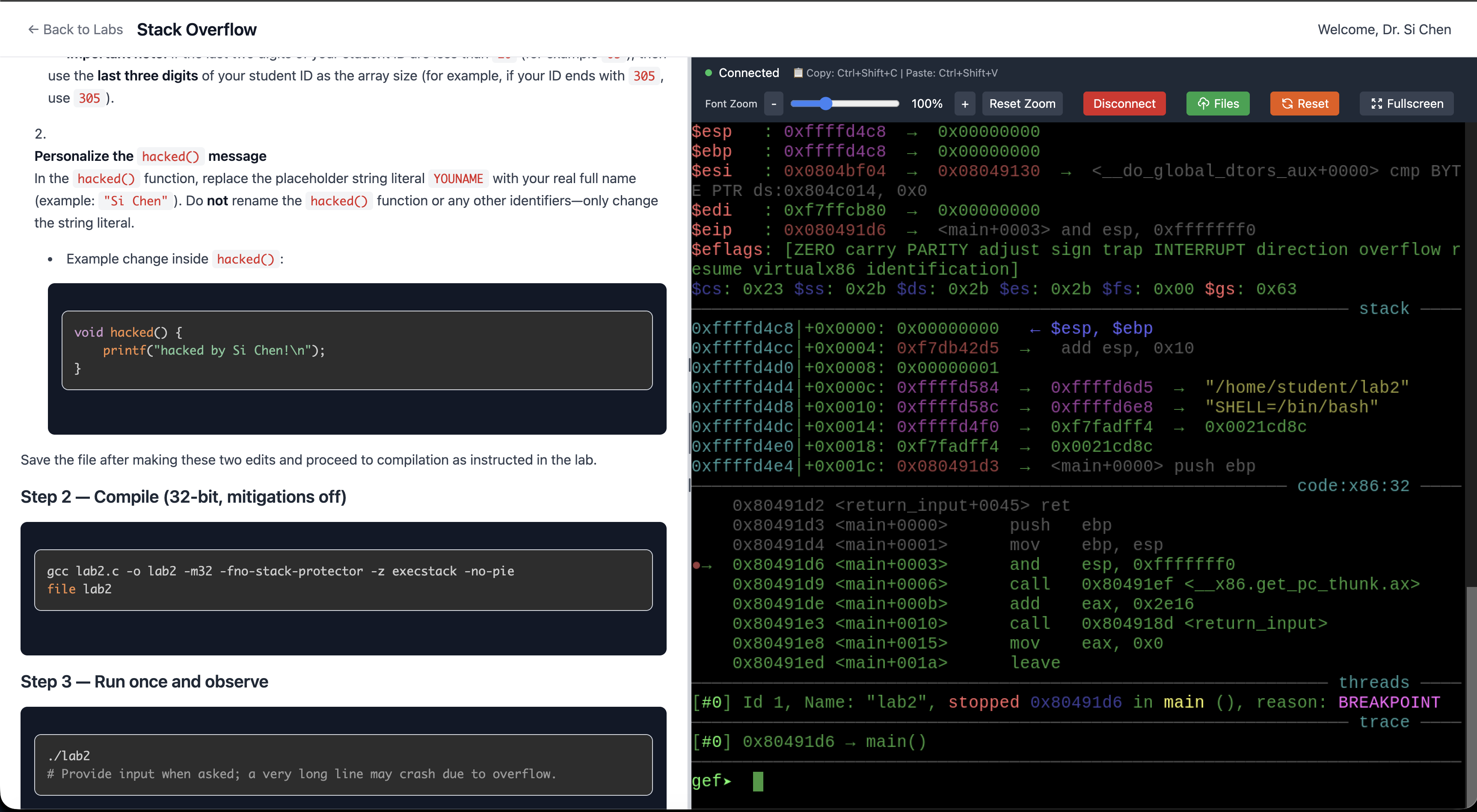
Students interact with real operating systems directly in the browser—no plugins, no software, no SSH clients.
Apache Guacamole
SSH, RDP, and VNC access for LXC and VM environments. Session recording built in.
xterm.js WebSocket
Lightweight web terminal for Docker labs. Real-time WebSocket connections with file transfer support.
VMware WMKS
Full desktop console for ESXi VMs. Native graphical access for Windows and GUI environments.
Dynamic Lab Authoring & Content Reuse
Faculty can design, publish, and manage labs directly from the portal—with the same ease as editing a document.
Markdown-Based Authoring
Write lab instructions in Markdown with live preview. Upload images and manage shared files per course.
Template Mapping
Link each lab to LXC, Docker, VM, or ESXi templates. Configure terminal type per lab.
Checkpoint Scoring
Define scoring milestones: flag capture, shell access, command patterns, or file access detection.
Teaching Content & Template Management
Instructors author lab instructions in Markdown within the Portal, bind templates across all runtimes, and flexibly adjust visibility to students.
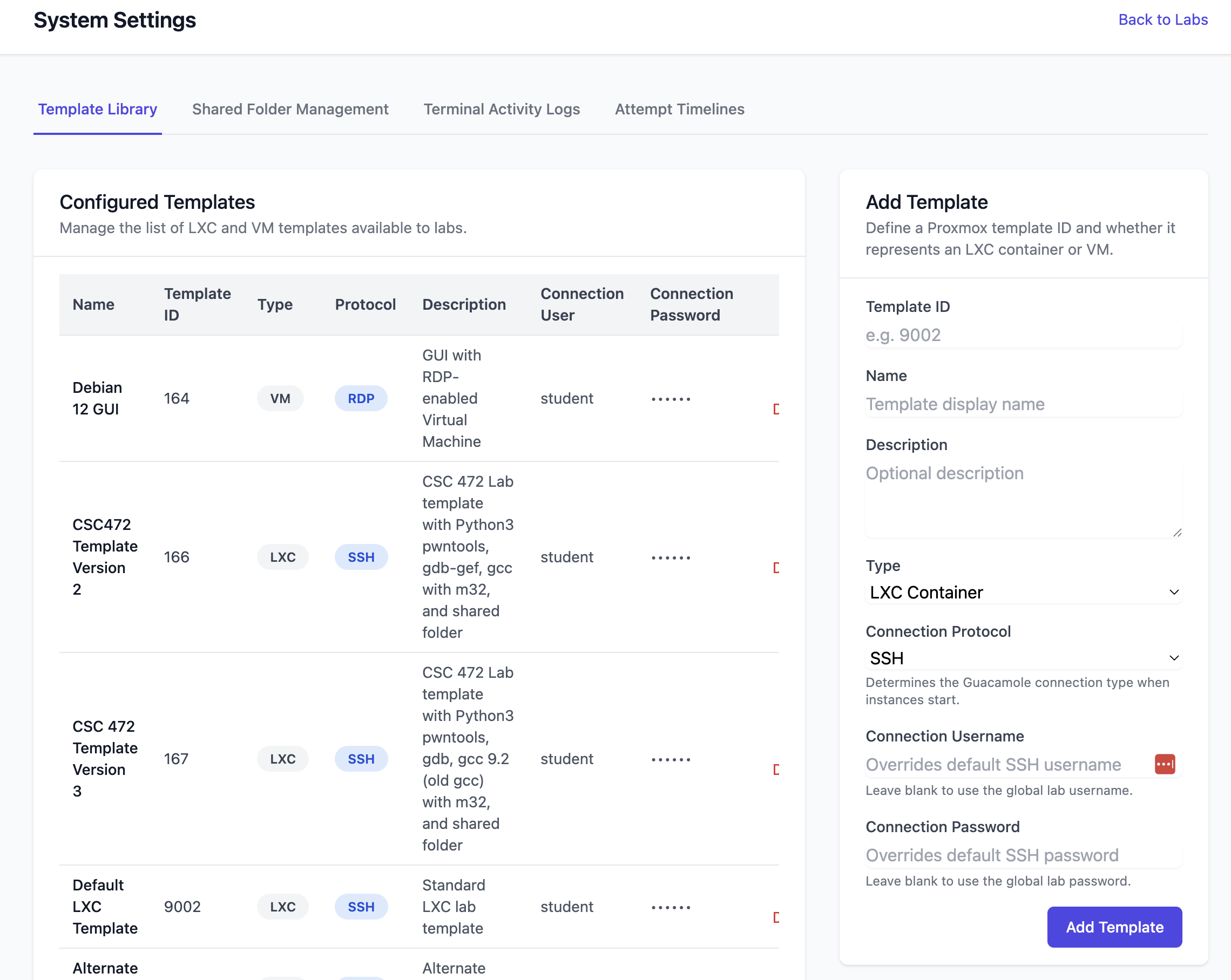
- Create, edit, hide, and delete labs from the faculty portal
- Map labs to LXC, Docker, VM, or ESXi templates with per-lab terminal type configuration
- Real-time Markdown preview and image upload for lab content
Real-Time Activity Monitoring
Monitor student lab sessions in real time with comprehensive analytics and live terminal access.
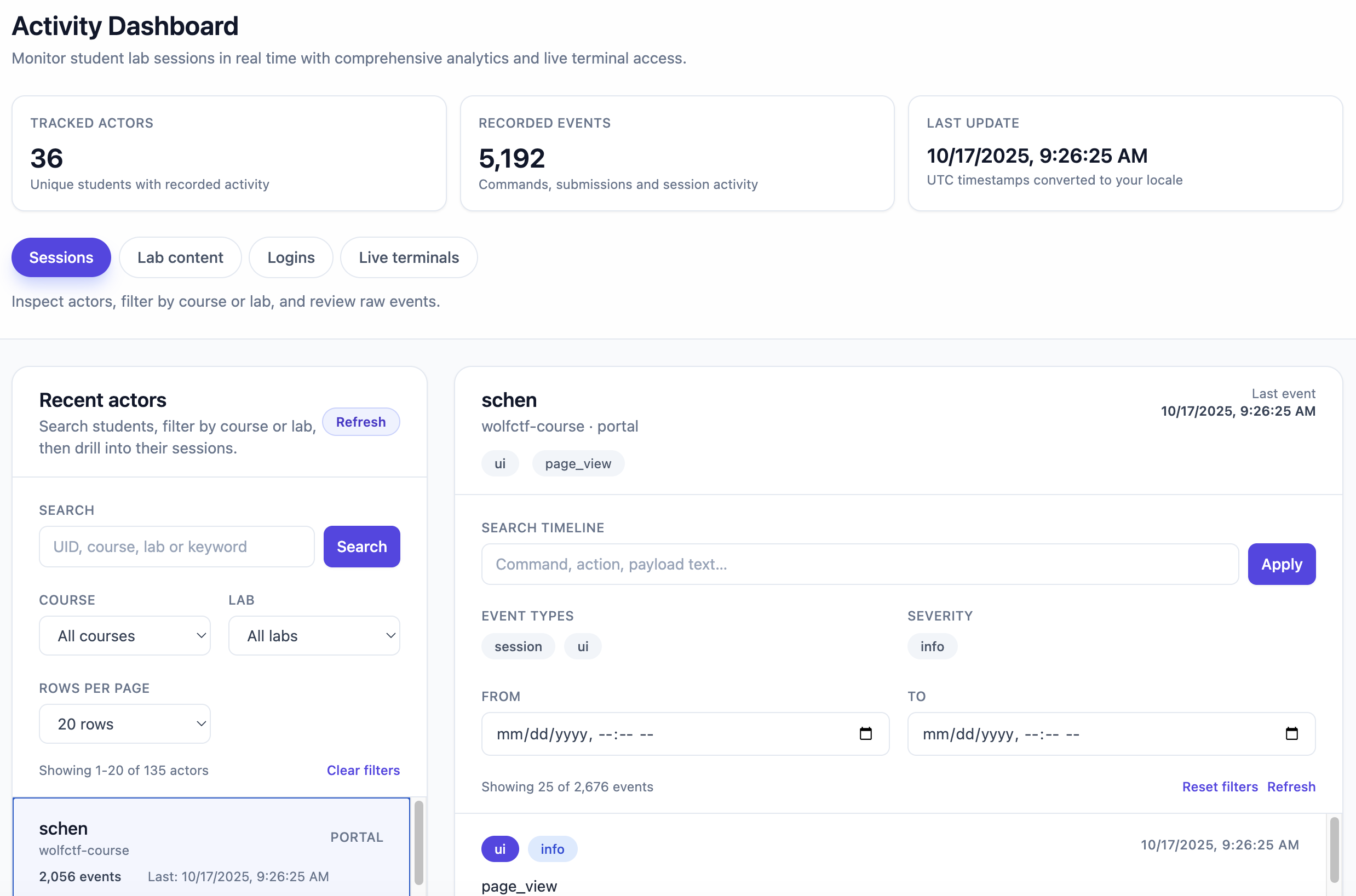
- Track student activity with recorded events and session timelines
- Filter by course, lab, student, event type, and date range
- Live terminal monitoring—watch student sessions through Guacamole
- Export telemetry data for reporting and analysis
Institutional Impact
Rapid Deployment
Lab setup time reduced from weeks to minutes. Docker-only deployments go live in days.
Scalable Design
From 30 students to entire departments. Four runtime options scale with your program.
Secure by Default
LDAP auth, per-student isolation, on-premises deployment. Data stays on your network.
AI-Driven Content
AI lab generation and course creation reduce faculty prep time by hours per semester.